
Tuck: £3 Free Cash
12 mins£15/hr
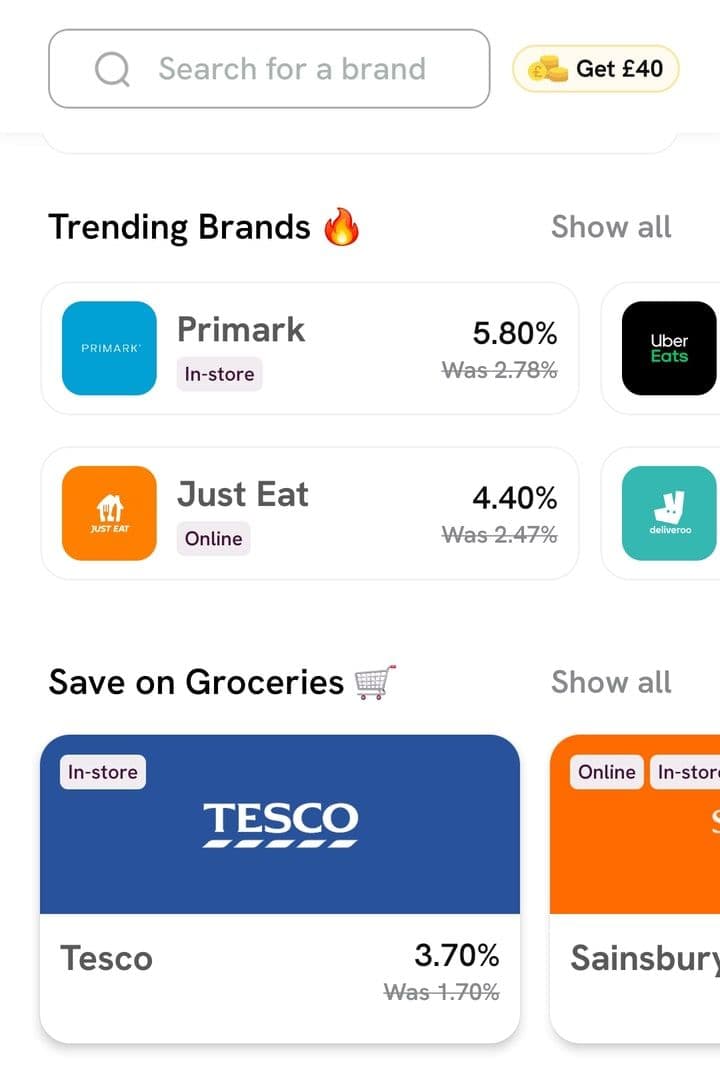
Tuck is a UK app that pays instant cashback on gift cards for 200+ retailers. Over 100,000 people in the UK use it.

Offer overview
Chris · Your personal guide
Sign up with the code
Download the Tuck app with the referral link on a day you're ready to buy, then sign up with the code QUIDSY.
The link usually fills the code in. If the referral code box is empty, type QUIDSY, or you miss the extra £1.
Step by Step Guide
- 1Open Tuck through the referral link and download the app
Only download it on a day you're ready to buy your first gift card, as you have 24 hours from the download.
- 2Tap Start saving and enter your name, email and phone number
- 3Check the referral code box reads QUIDSY. If it's empty, type QUIDSY
The code adds an extra £1 to Tuck's £2, so don't skip it.
- 4Verify your account with the link Tuck sends to your phone. Tuck may also ask for photo ID and a selfie
- 1Buy a gift card for £10 or more within 24 hours of downloading the app
Pick a shop you already use, like your weekly food shop at Tesco, ASDA or Sainsbury's, so it's money you'd spend anyway, on a card you'll use.
- 2Pay with Apple Pay, Google Pay or your bank through open banking
Every gift card also earns Tuck's usual cashback, which Tuck says is typically 2% to 10%.
- 1Tuck adds £2 to your balance within 5 days of your first gift card
- 2The code's extra £1 comes over your next 5 gift cards
Quick review
Tuck
Wondering whether Tuck is worth it beyond the bonus? Here is our honest take.
 Chris' verdictYour personal guide, Quidsy
If you already do a weekly shop at one of Tuck's supermarkets, it's an easy way to get a few percent back on money you'd spend anyway, and the welcome offer adds a little extra to start.
Buy the gift card just before you shop, cash out once you reach £10, and you get the cashback without leaving money sitting in the app.
